Lottie
- 4.4
- Rating
- 100.00K
- Installs
- Free
- Price

 Analysis by App-foxy
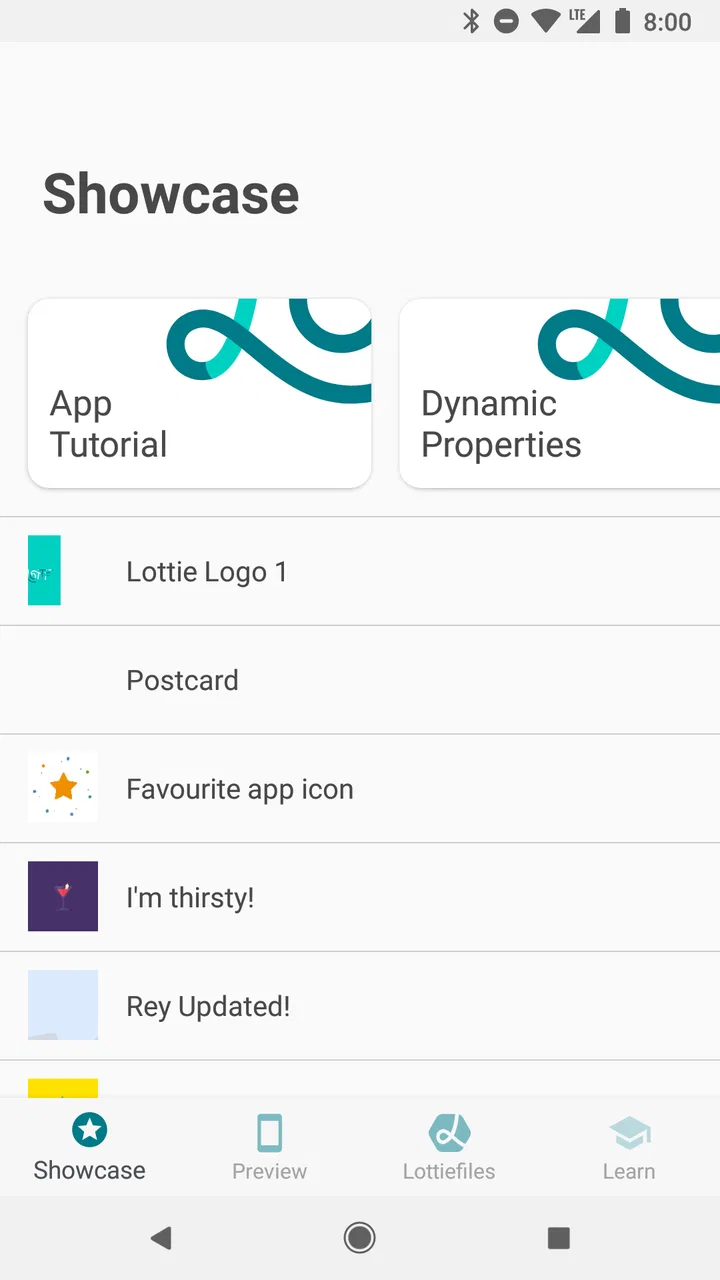
When I opened Lottie, I did not find a conventional utility app with a task to complete. I found a compact visual library built around animated interface examples and sample uses. That distinction matters: this is not mainly an app for watching entertainment or editing videos, but a practical reference for understanding how Lottie animations can look and behave in real interface contexts. My overall impression is that it works best as a hands-on showcase for designers, developers, students, and curious mobile users who want to inspect animation ideas without starting from a blank screen.
The app comes from Airbnb and sits in the Libraries & Demo section. It is free, rated for Everyone, and supports older Android devices from version 4.1 onward. Its current version is 6.6.8, while the release date shown for the app is January 30, 2017. The store summary describes a collection of Lottie animations and sample usages, but in daily use the more useful way to think about it is as a visual catalogue: you browse examples, compare styles, and decide which animation approach would suit a product or prototype.
What makes this animation showcase useful
The strongest part of the experience is that it turns an abstract technology into something easy to judge with your eyes. Reading about vector animation, playback, or interface feedback can be surprisingly unhelpful until you see the result. Lottie gives those ideas a visible setting. Instead of asking whether a particular motion feels too busy, too slow, or appropriate for a button state, I can look at an example and make that decision much faster.
You May Also Like

 Blood Strike: 2.5 Anniversary
Blood Strike’s Loadouts Turn Every Drop Into a Tactical Gamble
A close look at Blood Strike’s custom loadouts: how fast access to signature weapons reshapes its battle royale rhythm, rewards preparation, and narrows the gap between fights.

 Pandora - Music & Podcasts
Pandora’s Music Is Easy to Start, but Harder to Recover
Pandora’s strength is its low-effort path from a seed to a station. Its weak spot is how much confidence it asks you to place in connection, setup, and quiet recovery.

 8 Ball Pool
 Is Built on Rivalries, Rematches, and Routine
A close look at the rivalries, rematches, shared routines, and unanswered safety questions that turn a quick pool match into a persistent mobile community.

 Samsung Music
’s Quiet Strength Is Playing What You Already Own
Its reach comes less from spectacle than from dependable access to a personal library. That simplicity is both the app’s strongest retention engine and its ceiling.

 AccuWeather: Weather Radar
AccuWeather Review: A Quick, Clear Forecast for Everyday Decisions
For everyday plans, the best forecast is the one you can understand quickly. AccuWeather makes rain timing, radar, and local conditions easy to act on, with a few trade-offs.

 Hill Climb Racing
Why Hill Climb Racing Still Turns Crashes Into One More Run
A tiny car, a bumpy hill and one more upgrade: Hill Climb Racing keeps resurfacing because its simple chaos makes every near-miss feel personal.
More From Our News Desk



That makes the app especially helpful during the early stage of a design project. I might be working on a sign-up flow, a loading screen, an empty state, or a confirmation message. Rather than immediately drawing several rough concepts, I can use the examples as a conversation starter. Showing a teammate an animation style is often clearer than describing it with words such as “playful,” “lightweight,” or “smooth.” The app gives those vague descriptions a visual reference.
I also like the fact that the examples are presented as sample usages rather than isolated decorative clips. Context changes how an animation feels. A motion that looks charming on its own may become distracting when placed after every tap. Seeing an animation as part of a usage example encourages a more practical question: what job is the movement doing? Is it confirming an action, explaining a waiting period, adding personality, or simply filling space?
That is where the app has more value than a random animation gallery. A gallery can inspire, but a sample can also teach. I found myself paying attention to timing, visual weight, and the amount of attention an animation demands. Even without writing code, a reader can learn to separate useful motion from motion that merely looks impressive in isolation.
The app’s rating of 4.4 from around 850 ratings suggests that many users find this focused approach worthwhile. It has also passed 100K installs, which gives it a meaningful audience without making it feel like a broad, general-purpose social platform. I would not use those figures as proof that it suits everyone, but they do fit my experience: this is a specialized reference with a clear purpose, not an all-purpose mobile tool.
A practical workflow for designers and developers
My preferred way to use Lottie is alongside a design task, not as a separate browsing session. I first define the moment that needs motion. For example, imagine I am designing a grocery list app. After a user marks an item as purchased, I need feedback that feels immediate but does not interrupt the next action. I can browse the examples with that narrow goal in mind, looking for motion that communicates completion without taking over the screen.
Next, I compare several examples by asking three questions. Does the animation explain something? Does it finish quickly enough for a repeated action? Would it still feel comfortable after seeing it many times in one session? These questions are more useful than choosing the most visually elaborate example. An animation may look excellent during a demonstration and still be the wrong choice for a frequently repeated interaction.
A useful, less obvious habit is to judge an example at the point where a user would enter or leave it. The first frame affects whether the screen feels responsive, while the final frame affects whether the interface feels settled. When reviewing a sample, I pay attention to whether the motion appears to begin naturally after an action and whether the ending leaves the user with a clear visual state. This is the kind of detail that a still image or a short promotional clip can hide.
For a developer, the app can serve as a quick visual checkpoint before implementation. It helps answer questions such as whether a proposed animation is too expressive for a utility screen or whether a small confirmation needs motion at all. It does not replace the development work, but it can reduce wasted effort by helping a team reject unsuitable directions earlier.
For a designer, the benefit is slightly different. The examples can help build a personal vocabulary for motion. Instead of collecting attractive screens only, I can classify ideas by purpose: acknowledgement, transition, waiting, celebration, or explanation. That classification makes inspiration more actionable. When I later create a prototype, I am less likely to copy a surface style without understanding the user problem it should solve.
Where the app is stronger than ordinary alternatives
The usual alternatives depend on what you are trying to accomplish. A video platform offers a much larger amount of visual inspiration, but it is noisy and often optimized for entertainment rather than interface decisions. A design community can provide polished mock-ups, yet the animation may be embedded in a full presentation, making it harder to isolate the motion itself. Documentation can explain implementation concepts, but written instructions do not always communicate the feeling of movement as quickly as a live example.
Lottie occupies a useful middle ground. It is more focused than a general video feed and more immediate than technical documentation. I can browse without committing to a full project, but I am still looking at examples connected to a recognizable animation system. That focus is its main strength. The app does not need a social layer, a recommendation feed, or a large editing suite to be useful.
There is also a practical advantage in using a dedicated showcase instead of searching randomly for interface motion. Random searches tend to reward novelty. A spectacular animation can attract attention while being completely unsuitable for a real product. A focused library encourages me to think about implementation and usage together. Even when I do not choose an example, I learn why it does not fit.
Another non-obvious benefit is that the app can improve communication between people with different technical backgrounds. A product manager may not understand animation terminology, and a developer may not interpret a designer’s mood board in the same way. Looking at a concrete example gives everyone something specific to discuss. That can make a short review meeting more productive than exchanging several paragraphs of subjective feedback.
The limitation: inspiration is not the same as a finished workflow
The most important weakness is also clear from the app’s purpose: it is a showcase, not a complete creation environment. I cannot treat it as a replacement for a design tool, an animation editor, or a development workspace. It may help me decide what I want, but it does not turn that decision into a finished product by itself.
That limitation can create a small but meaningful gap between seeing an example and using it in a project. A visual reference may look perfect on a phone, yet the final result still depends on the surrounding interface, the chosen size, the trigger, the timing, and the device context. If I am expecting a one-stop tool that lets me customize every detail immediately, I will find the experience too narrow.
The browsing format can also encourage passive consumption. It is easy to swipe through attractive animations and mistake recognition for understanding. I get more from the app when I pause after each example and write down its purpose, likely trigger, and possible failure. Without that discipline, the library becomes a pleasant collection of effects rather than a useful design reference.
Another point worth considering is audience. A casual user who simply wants a new wallpaper, a video editor, or a set of entertaining clips may not find enough practical value here. The app’s focus is interface animation, so its appeal depends on caring about how digital products respond and communicate. If that subject does not interest you, the narrow scope will feel like a restriction rather than a benefit.
I would also avoid judging an animation only by its visual polish. Motion can affect accessibility, concentration, and perceived speed. A lively effect may be appropriate for a celebratory moment but tiring in a repeated workflow. Lottie helps me see possibilities, but the responsibility for choosing a respectful use remains with the designer or developer. That is a strength of the app as a reference, but a limitation if someone expects it to make design decisions for them.
Who should install it, and who should skip it
I would recommend Lottie to Android developers who need a fast way to discuss animation direction before coding. It is also a good fit for interface designers building a motion reference library, students learning how animated feedback changes an interaction, and product teams that need a shared visual language. Because it is free and suitable for Everyone, there is little barrier to trying it for a short research session.
It can be useful in education as well. A teacher could ask students to examine several examples and explain what each animation communicates, then compare a decorative effect with one that improves clarity. That exercise does not require advanced technical knowledge. It teaches students to evaluate motion as part of communication rather than treating it as visual decoration.
For someone working alone on a small app, the best use is selective. I would not browse the entire collection without a goal. I would identify one interface problem, inspect examples that could address it, and then test the chosen direction in the actual prototype. This keeps the app from becoming a distraction and turns it into a decision-making aid.
I would skip it if my main goal were to edit animations directly on a phone, create social videos, or download a broad collection of entertainment content. A conventional animation editor would be a better match for hands-on production, while a video or design platform would offer a wider range of visual material. Lottie is valuable precisely because it does less, but that also means its audience is more specific.
Small habits that make the examples more valuable
One habit I found useful is to inspect an animation in relation to the action that would trigger it. If the effect is meant to confirm a tap, I imagine the user continuing immediately afterward. If it represents loading, I ask whether it communicates progress or merely indicates delay. If it celebrates success, I consider whether the moment deserves emphasis or whether the user would prefer to move on. This turns browsing into practical evaluation.
I also recommend separating “visual personality” from “interaction feedback.” A brand may want a distinctive style, but not every screen needs the same level of expression. An example can inspire the look of a product while still being too heavy for a repeated action. I find it helpful to choose one animation for a high-attention moment and keep routine feedback much quieter.
A third useful approach is to compare the same idea at different points in a user journey. Early in onboarding, motion can explain what is possible. During a task, it can confirm progress. At the end, it can provide reassurance. The same visual language may serve all three moments, but the intensity and timing should change. The app gives me material for that comparison, even though the final judgment has to happen inside the product I am designing.
Finally, I would take notes on why I rejected examples, not only on what I liked. “Too distracting for repeated use,” “unclear ending,” or “better for celebration than confirmation” are useful conclusions. A reference library becomes much more valuable when it records decisions and trade-offs instead of only collecting favorites.
Everyday scenario: choosing feedback for a small project
Imagine I am helping a local café build a simple ordering app. When a customer adds a drink, the interface needs to confirm the action without covering the menu. I could search a general design site and find a dramatic animation, but that might make the ordering process feel slower. In Lottie, I would look for examples that communicate a small, immediate change and then return the user to the task.
I would compare the opening and closing behavior, consider how often the effect might repeat, and show two or three candidates to the café owner. If one option feels friendly but another is clearer, I would choose clarity for the repeated add-to-order action and reserve the friendlier motion for the final order confirmation. That is a concrete benefit: the app helps separate the emotional moment from the routine one.
After selecting a direction, I would still test it in the actual ordering flow. A sample that feels balanced in isolation may compete with prices, item names, or a changing cart indicator. This is where the app’s role ends and product testing begins. Used properly, it shortens the path from vague idea to informed prototype without pretending to be the whole design process.
Compatibility, cost, and expectations
The app is free, which makes it easy to keep available as a reference rather than treating it as a tool that must justify a subscription. Its minimum Android requirement of 4.1 also makes it accessible to users with older devices. That broad compatibility is useful for classrooms, shared testing phones, and teams that do not all work with the newest hardware.
At the same time, older operating-system support should not be confused with a guarantee that every example will feel identical on every handset. Animation perception depends on screen size, system behavior, and the surrounding interface. I would use the app for direction and comparison, then verify important choices on the devices that matter to the final audience.
The Everyone content rating is appropriate for the app’s educational and demonstrative focus. I can comfortably recommend it to a student or a colleague who wants to explore interface motion without worrying that the catalogue is aimed at a mature audience. The simple premise also makes it approachable for a beginner, although beginners should remember that viewing an example is much easier than implementing a complete interaction well.
My final verdict on Lottie
Lottie is most successful when treated as a visual decision tool, not as a full animation studio. I value it because it makes interface motion easier to discuss, compare, and question. Its examples can spark ideas, expose poor choices before implementation, and give mixed teams a shared point of reference. The focused scope is a genuine advantage for people who care about product interaction.
My reservation is that the app can only take a project to the point of informed inspiration. It does not remove the need for design judgment, implementation work, or testing in context. Users looking for editing controls or a broad entertainment library should choose something else. For developers, designers, learners, and product teams, however, that narrowness is reasonable.
After using it, I would keep it installed for moments when an interface needs motion but the right direction is unclear. I would open it with a specific question, take notes on both strengths and drawbacks, and test any chosen idea outside the showcase. That workflow gets the best from the app without expecting it to be more than it is.
In short, I recommend it to anyone who wants to understand how animation can support a mobile experience. It is free, approachable, and focused enough to be useful without becoming another endless content feed. If your goal is to create or evaluate animated interface behavior, Lottie is worth exploring; if your goal is to produce finished animation directly on your phone, look elsewhere.
FAQs for Lottie
01What is Lottie, and what can it be used for?
Lottie is a mobile app that allows users to create and share high-quality animations. It's particularly useful for designers and developers who want to integrate animations into their apps or websites. By utilizing JSON files, Lottie makes it easy to render animations on both Android and iOS platforms with minimal effort.
02How do I import animations into the Lottie app?
To import animations into Lottie, you need to have a JSON file of your animation. You can create these files using Adobe After Effects with the Bodymovin plugin. Once you've exported the JSON file, you can easily upload it to Lottie and start customizing or sharing it directly from the app.
03Is Lottie compatible with both Android and iOS devices?
Yes, Lottie is fully compatible with both Android and iOS devices. This cross-platform compatibility ensures that animations created or used in Lottie can be seamlessly integrated into apps or websites on either platform, providing a consistent user experience regardless of the operating system.
04Are there any costs associated with using Lottie?
Lottie offers a free version that provides basic functionalities for animation creation and sharing. However, there might be premium features or additional resources that require a subscription or one-time purchase. It's advisable to check the app store for the latest pricing details or in-app purchase options.
05Can Lottie be used by beginners, or is it more suitable for professionals?
Lottie is designed to be user-friendly, making it accessible for both beginners and professionals. Beginners can enjoy ease of use with its intuitive interface, while professionals can take advantage of its advanced features for more complex animations. Tutorials and community support further enhance the user experience for all skill levels.
Pros
- Intuitive interface for easy navigation.
- Wide variety of animations available.
- Lightweight
- doesn't slow down the device.
- Supports real-time animation previews.
- Frequent updates with new features.
Cons
- Limited offline functionality.
- Some animations require in-app purchases.
- Occasional sync issues with certain devices.
- Can consume more battery over time.
- Requires a stable internet connection.

Lottie
Gallery